storeflowDownload for desktop
Windows and Mac

A full till for your counter computer.

Keyboard-fast selling with a USB barcode scanner, receipt printer and cash drawer — plus the full back office on a big screen. Same shop as your phone, always in step.

Download for WindowsDownload for Mac
Included in the Business plan · create your shop on your phone first
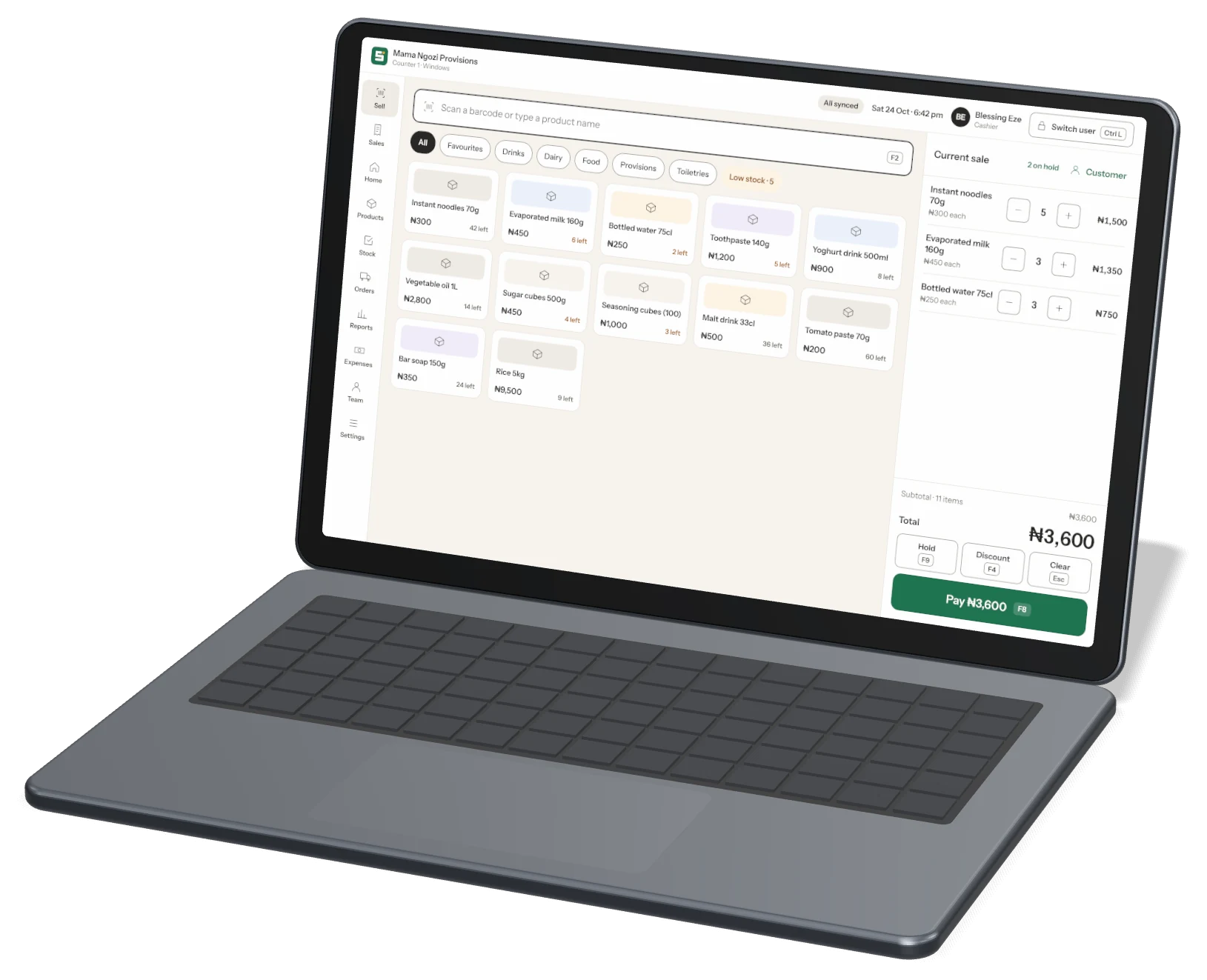
Storeflow Desktop sell screen
Everything on one big screen

Built for the counter and the back office

All the power of classic shop software, without the complexity. Every screen works with a mouse, touch screen or just the keyboard.
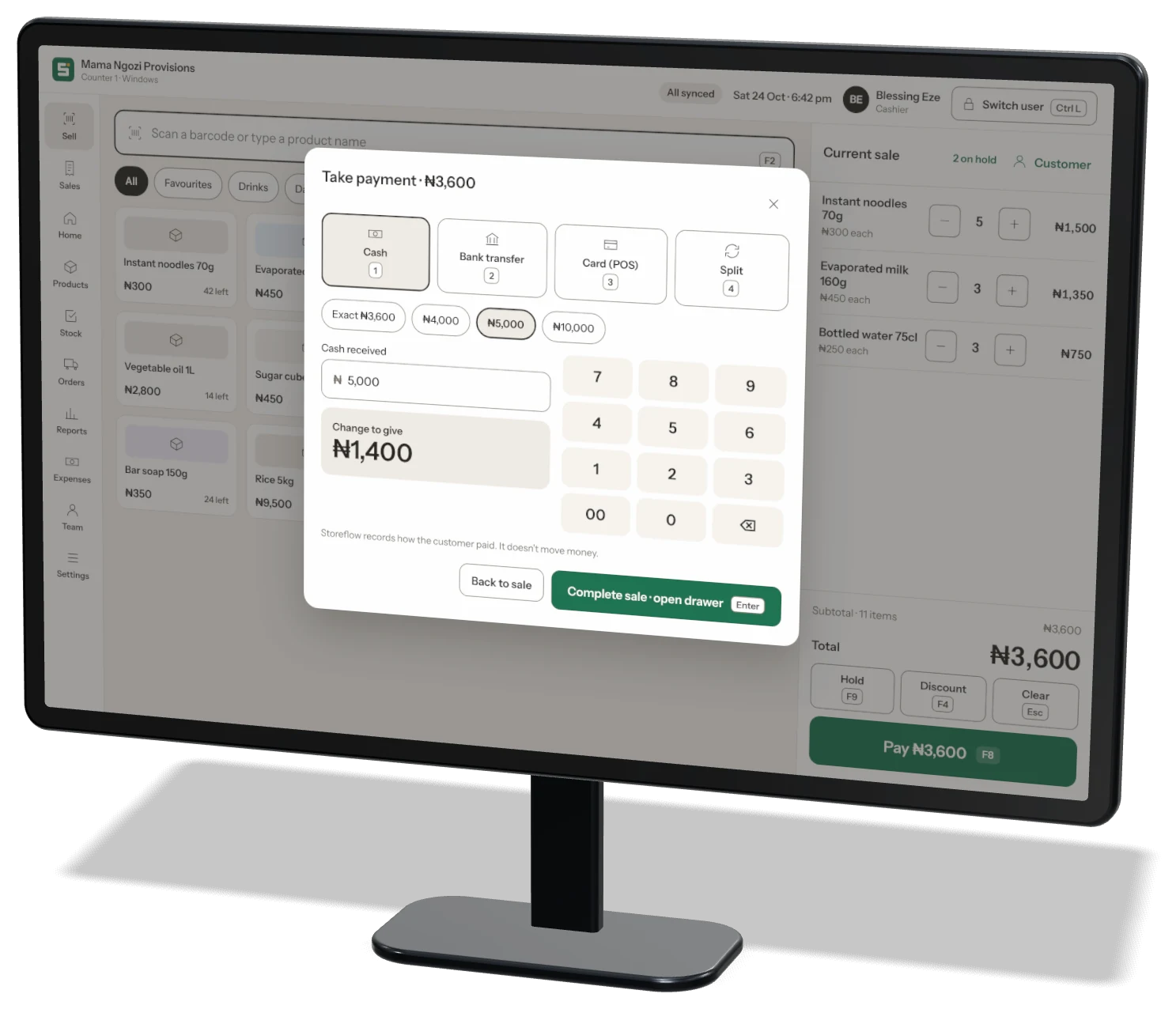
Take payment
Take paymentCash with a number pad and change to give, plus transfer, card and split.
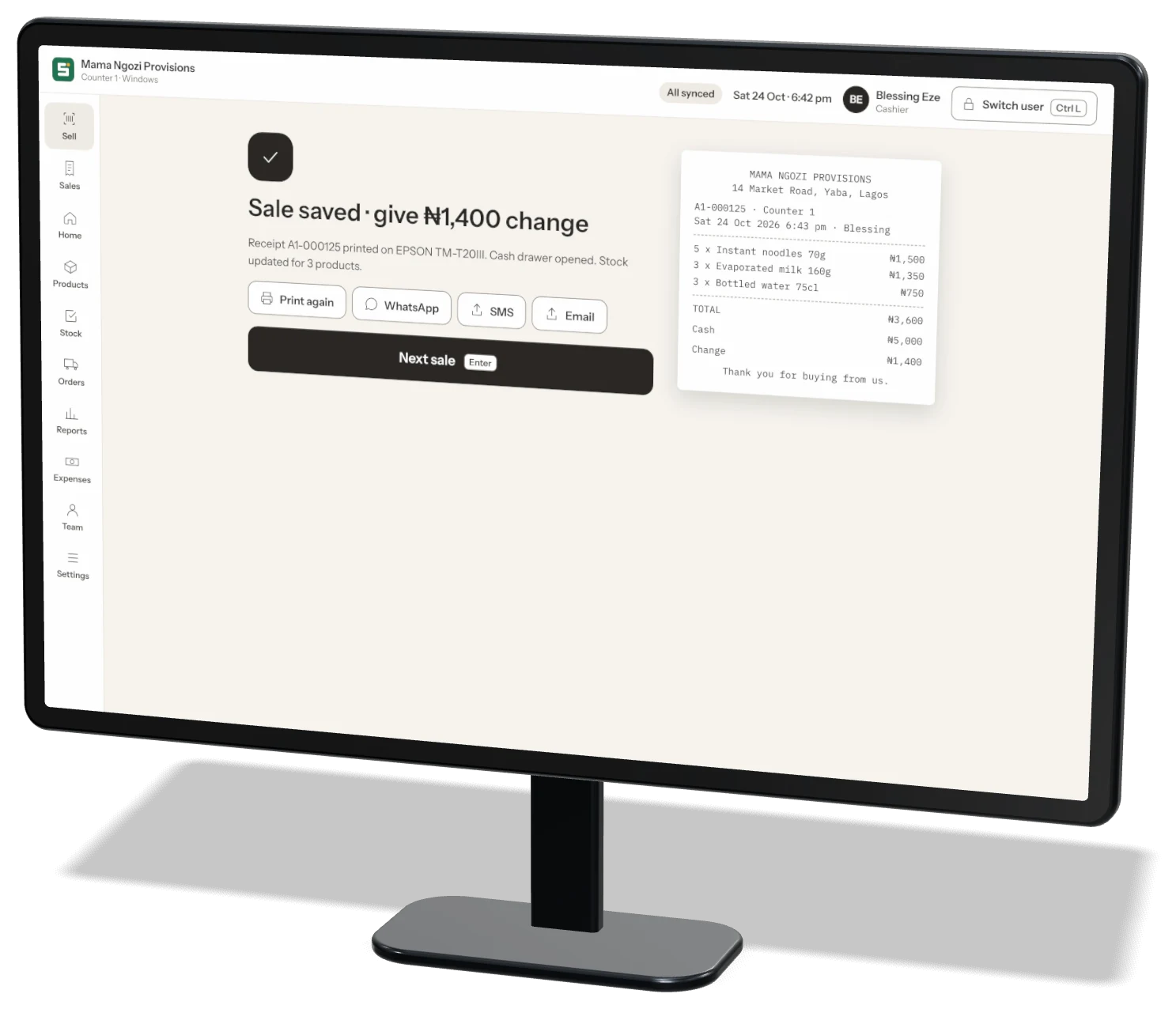
Receipt and next sale
Receipt and next salePrint, WhatsApp, SMS or email, then Enter for the next customer.
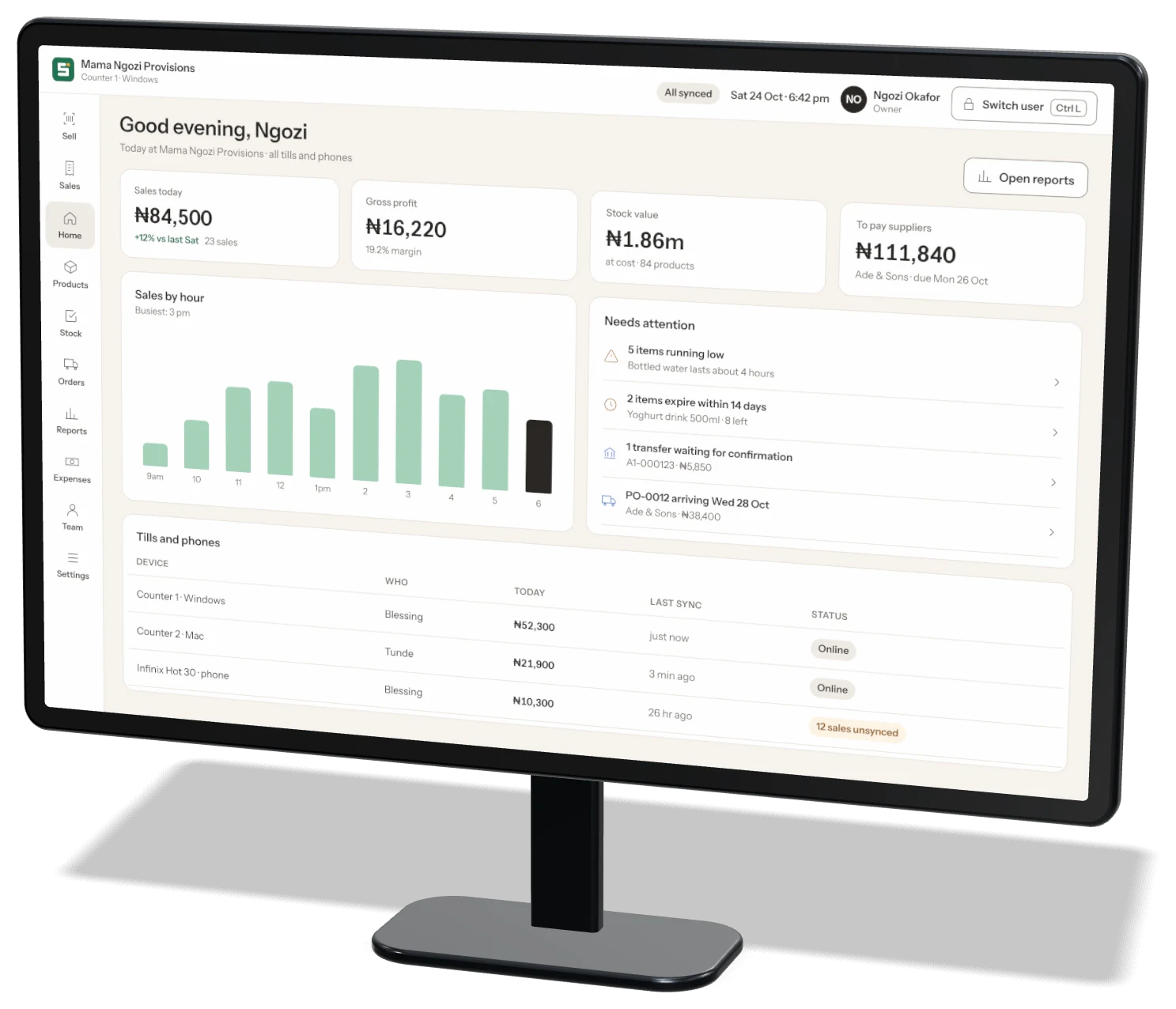
Home dashboard
Home dashboardSales, profit, stock value and every till at a glance.
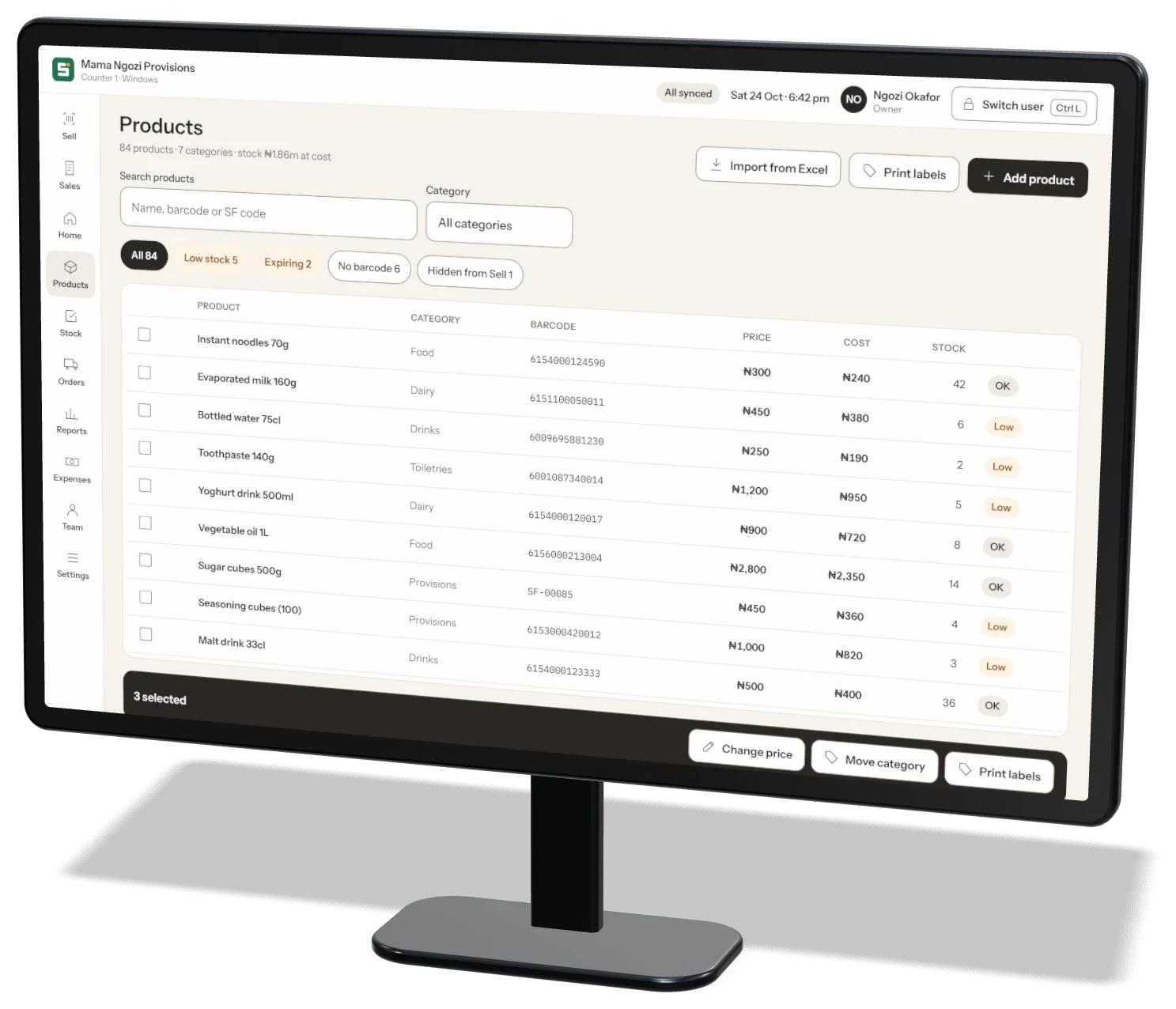
Products
ProductsBulk edits, categories, units and barcodes.
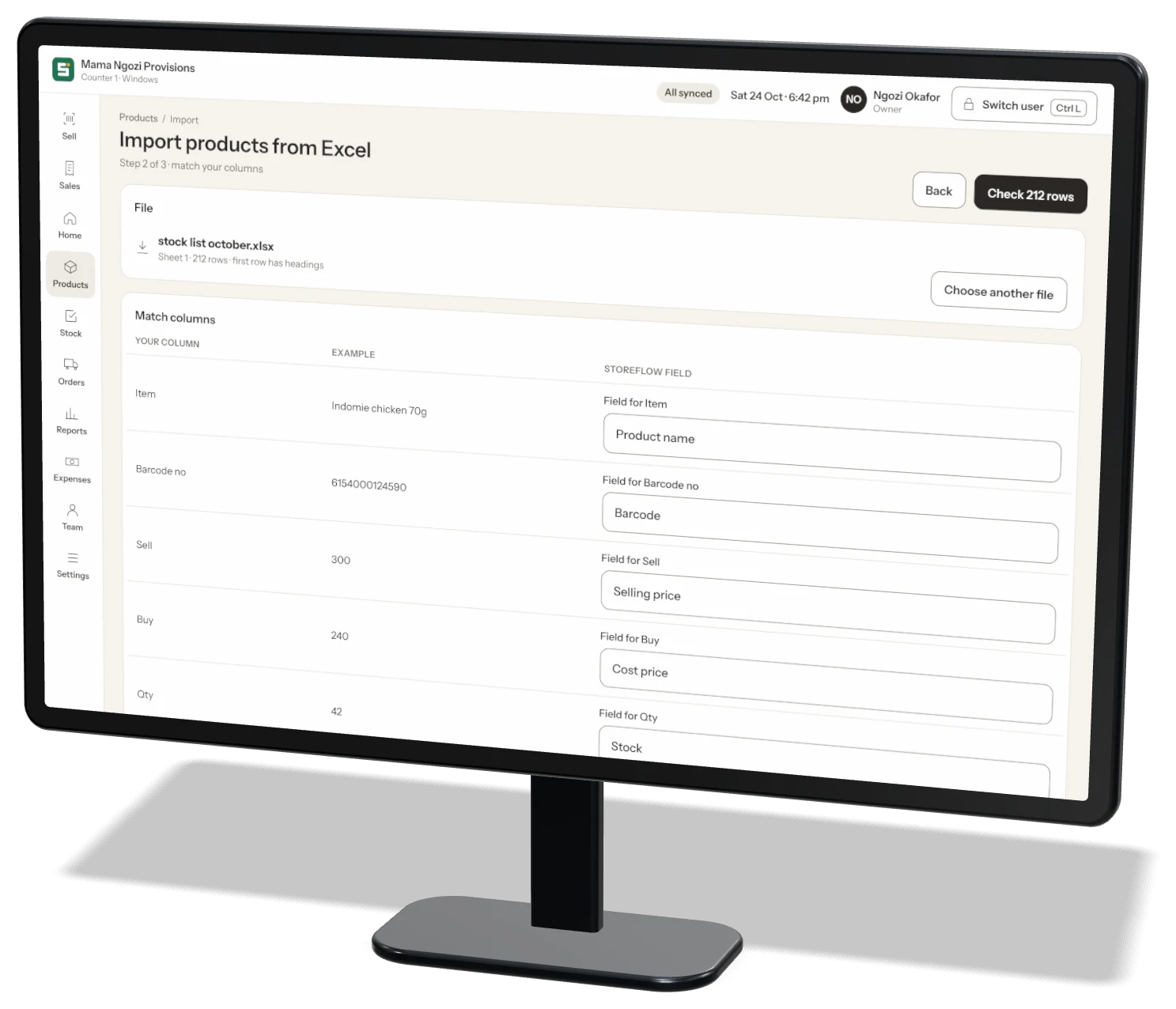
Import from Excel
Import from ExcelMatch your columns, fix problem rows, import.
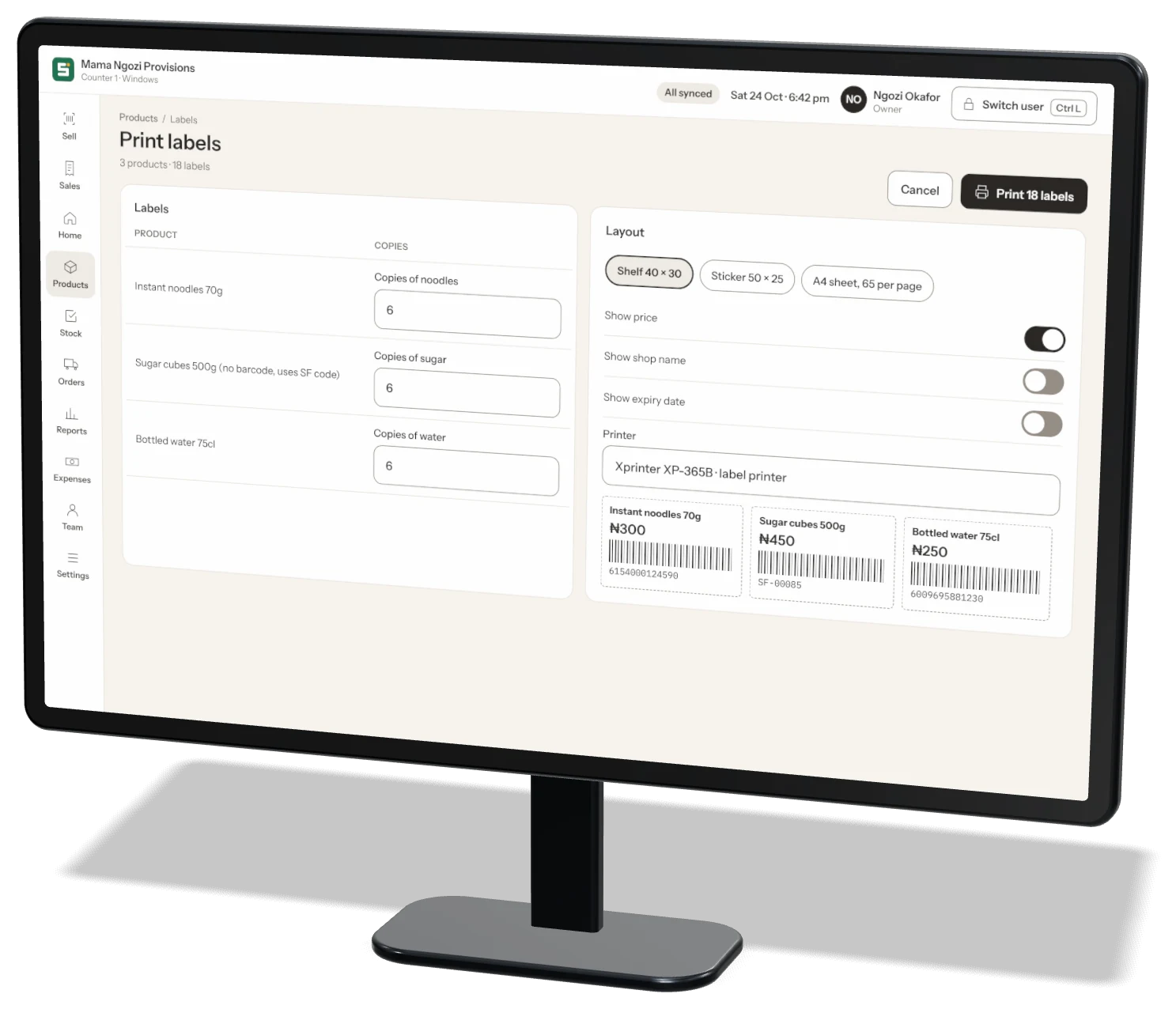
Barcode labels
Barcode labelsShelf labels and stickers for any product.
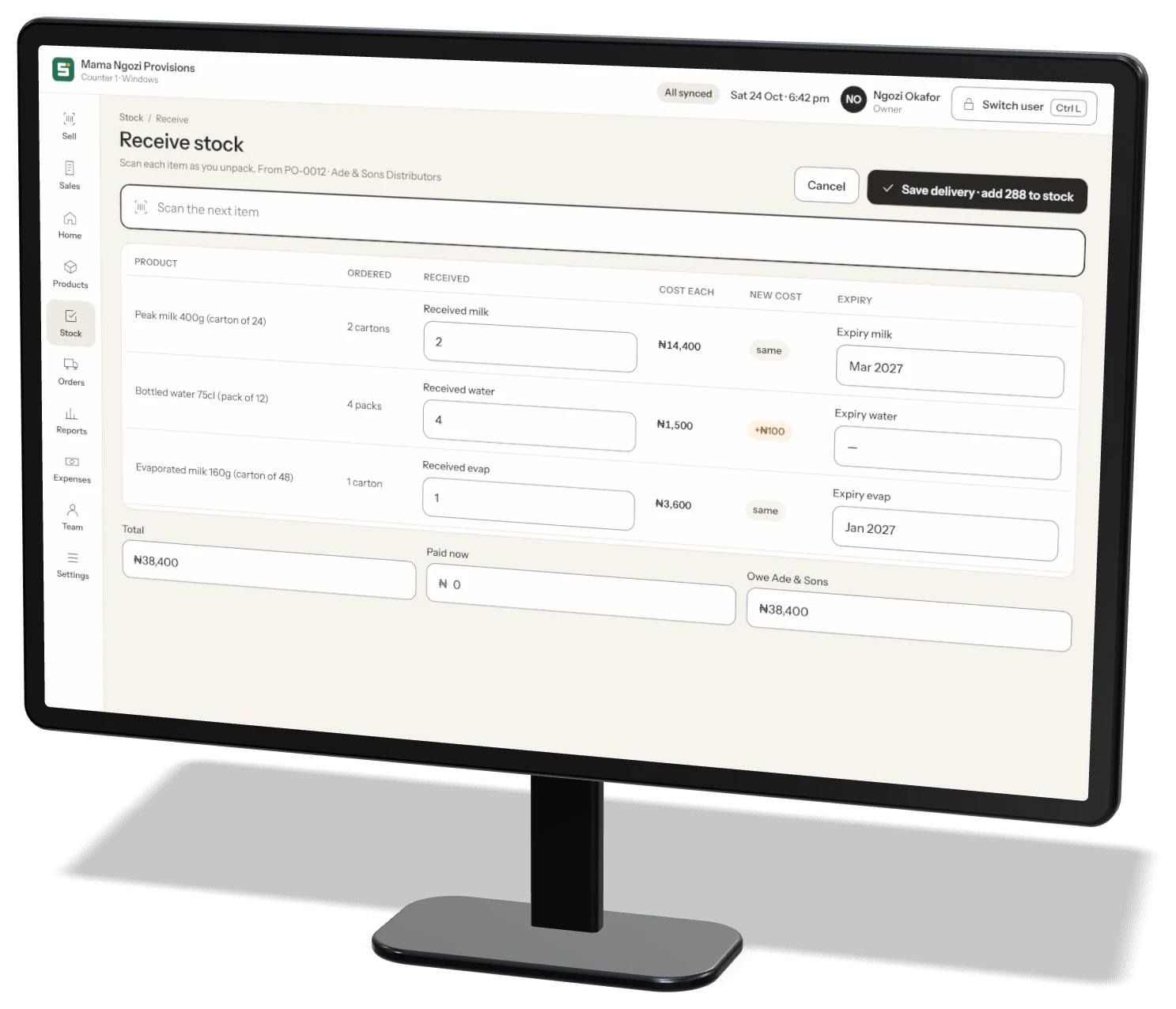
Receive deliveries
Receive deliveriesScan each item as you unpack, against the order.
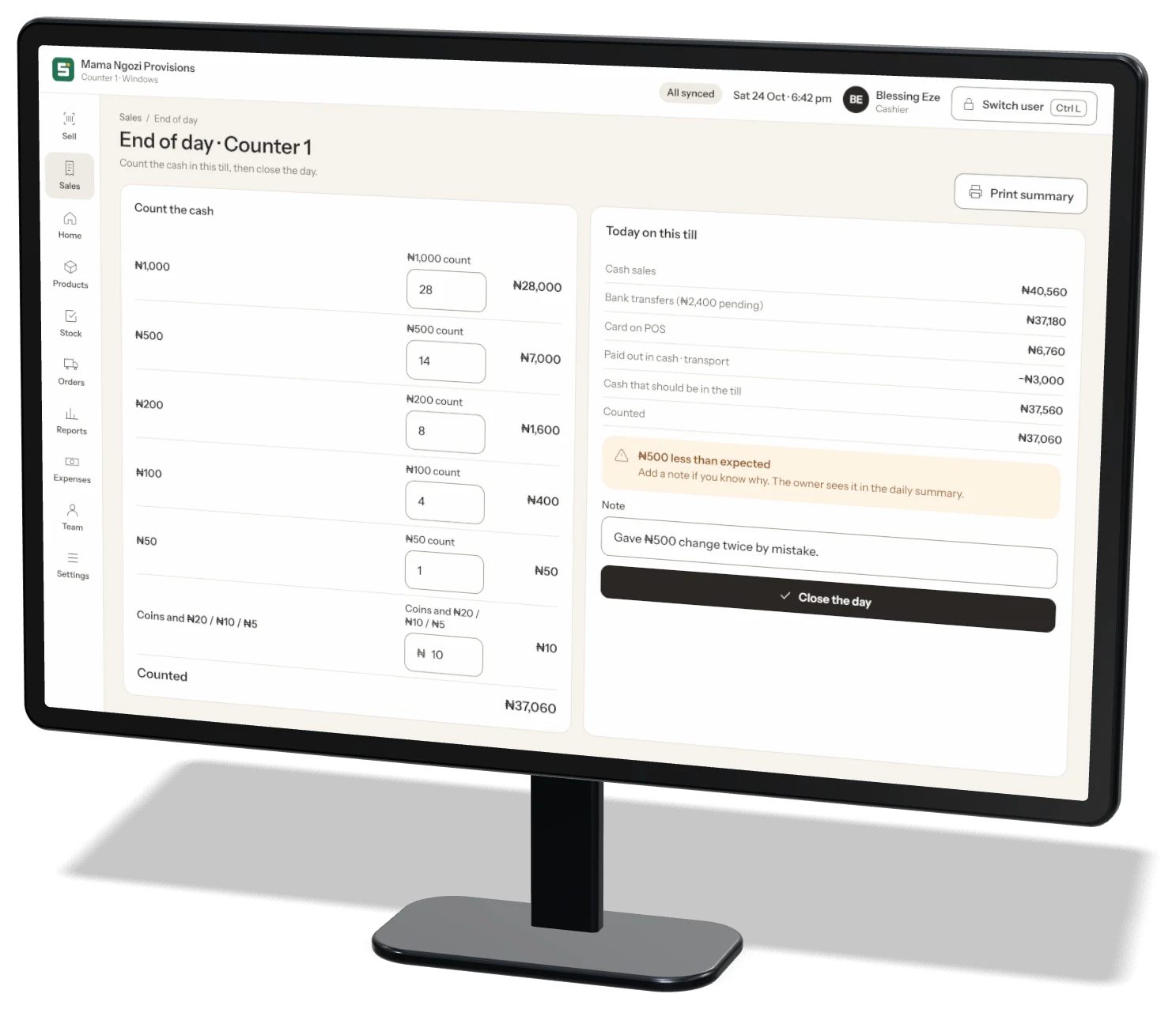
End of day
End of dayCount the cash in each till and close the day.
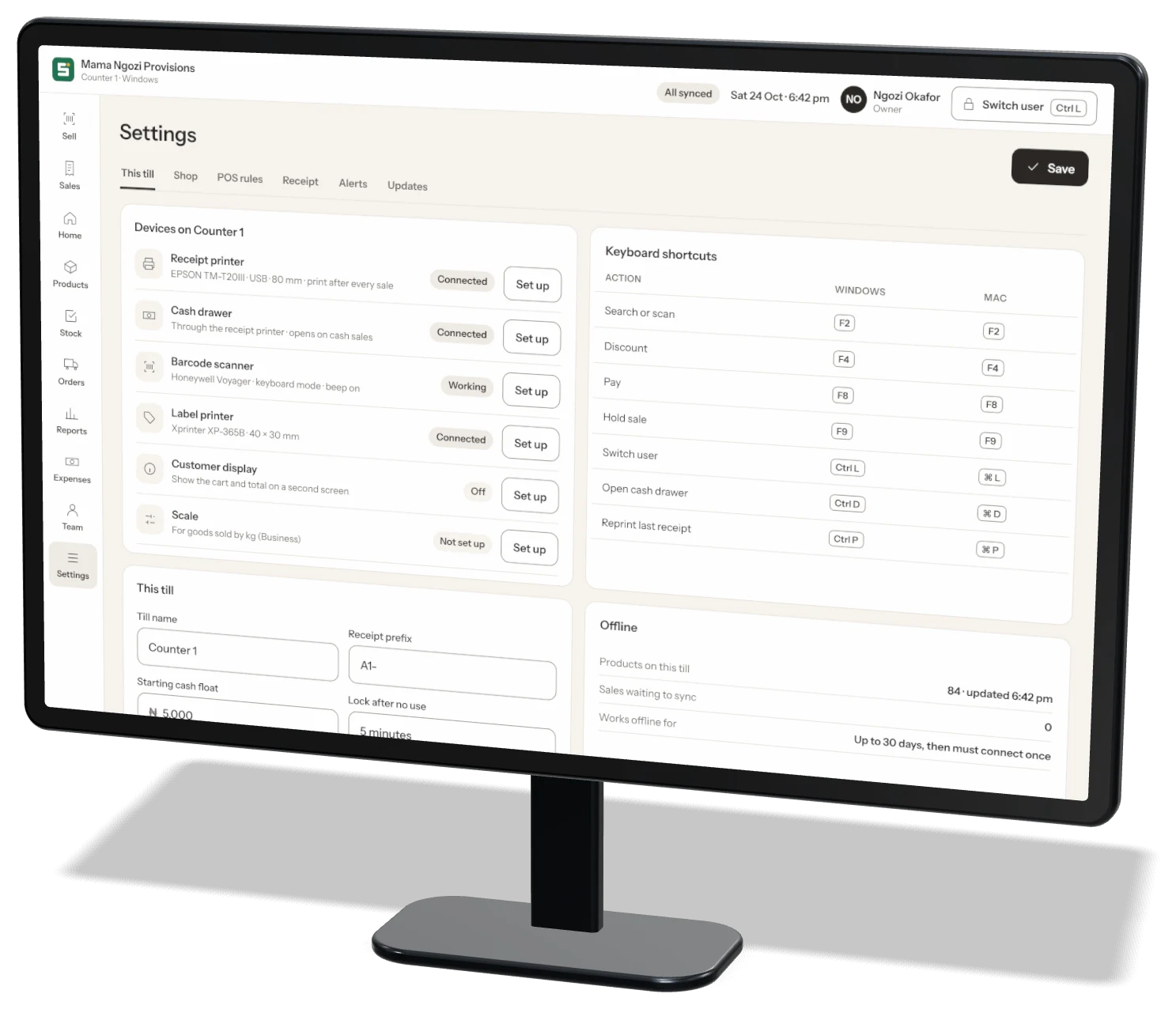
Tills and hardware
Tills and hardwarePrinters, scanner, cash drawer and shortcuts.
Keyboard first

Sell without touching the mouse

The scan box is always ready. Every action has a key, so a busy cashier never slows down.

F2Search or scan
F4Discount
F8Pay
F9Hold sale
Ctrl LSwitch user
Ctrl DOpen cash drawer
Ctrl PReprint last receipt
EscClear sale
Your hardware

Works with the hardware you have

USB and Bluetooth barcode scannersWork as a keyboard — plug in and scan.
Receipt printersUSB, network and Bluetooth thermal printers, 58 or 80 mm.
Cash drawerOpens through the receipt printer on cash sales.
Label printers40 × 30 mm shelf labels and 50 × 25 mm stickers.
Customer displayShow the cart and total on a second screen.
Touch screensBig buttons, made for tapping at the counter.
Setup

Up and running in three steps

1

Create your shop on your phone

Download Storeflow from the App Store or Google Play and set up your shop. Choose the Business plan.

2

Install Storeflow Desktop

Download for Windows or Mac. Log in as the owner, or enter the till code from More → Settings → Tills on your phone.

3

Connect your hardware

Storeflow finds your printer, scanner and cash drawer. Print a test receipt and start selling.

Desktop FAQ

Questions about Storeflow Desktop

Do I need the phone app too?

Yes — you create your shop and your account in the phone app. After that, the desktop app logs in with the same account, or links as a till with a code.

Does it work offline?

Yes. Each till keeps your products and sells offline. Sales sync when the internet is back. A till must connect at least once every 30 days.

Which plan includes Desktop?

Storeflow Desktop is included in the Business plan, with unlimited staff and custom roles.

Can I use several computers?

Yes. Each computer is a till with its own name, receipt numbers and end-of-day cash count.

Stop guessing.
Start growing.

Download Storeflow free and make your first sale today. Free for up to 100 products — no card needed.
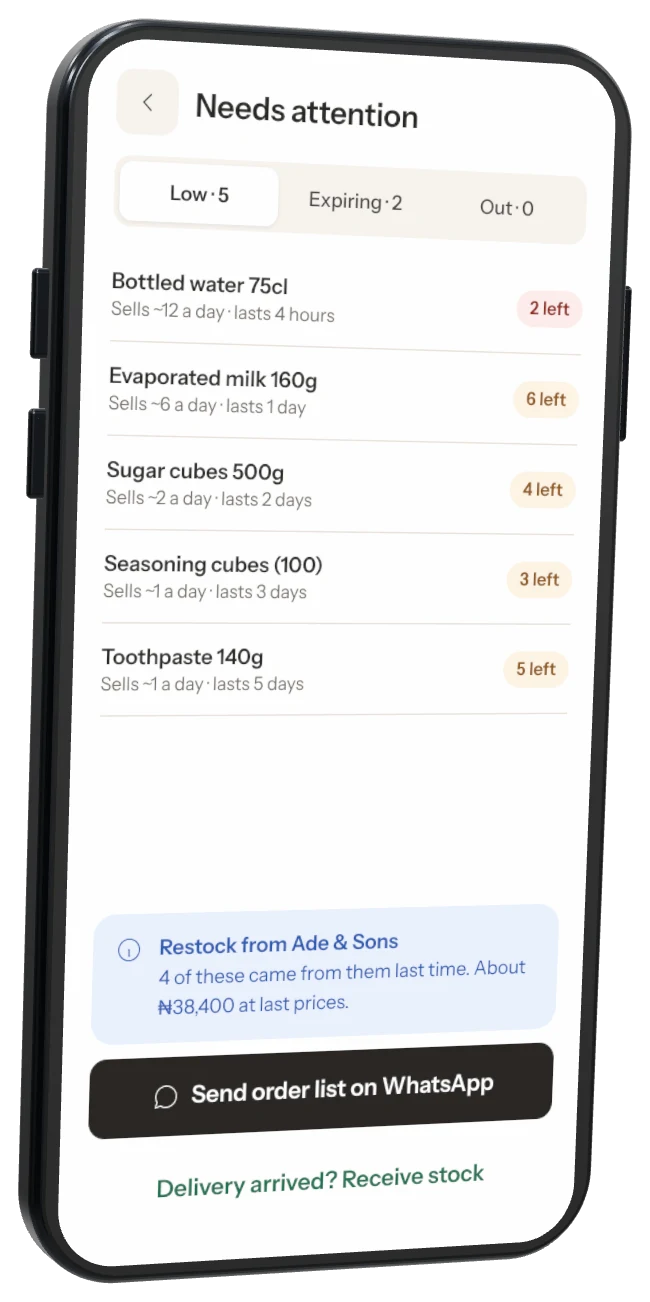
Stock alerts
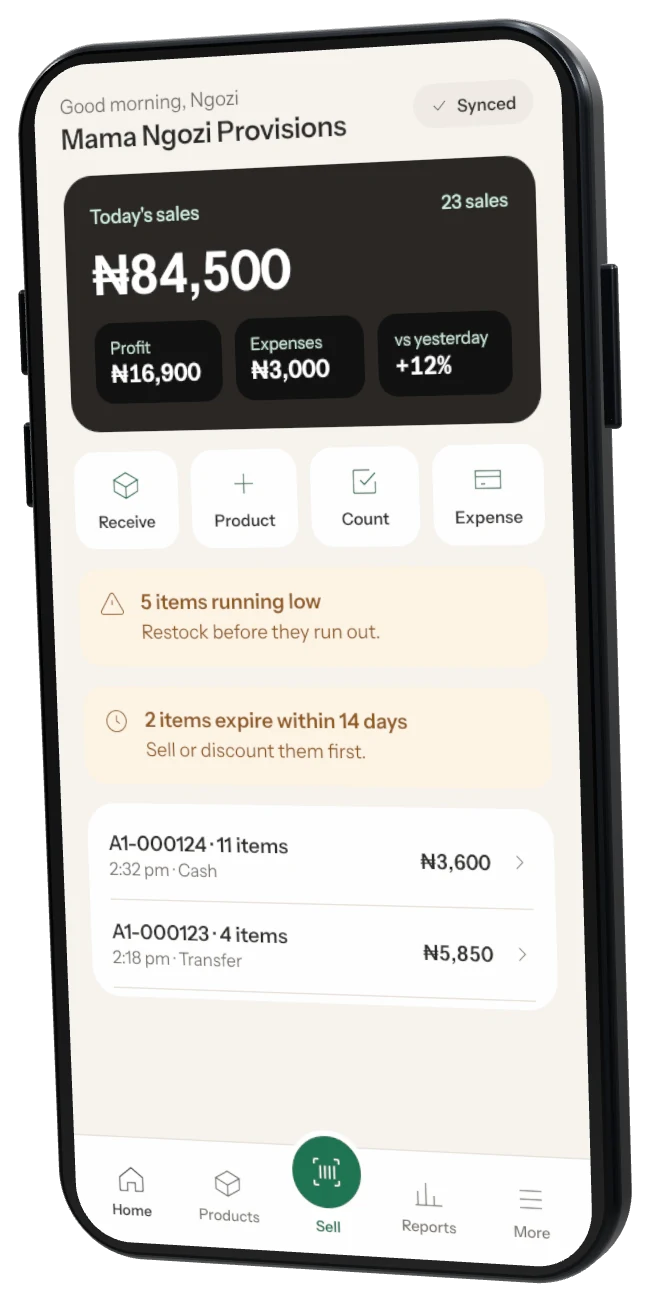
Home screen